Print template |
  
|
Print template |
|
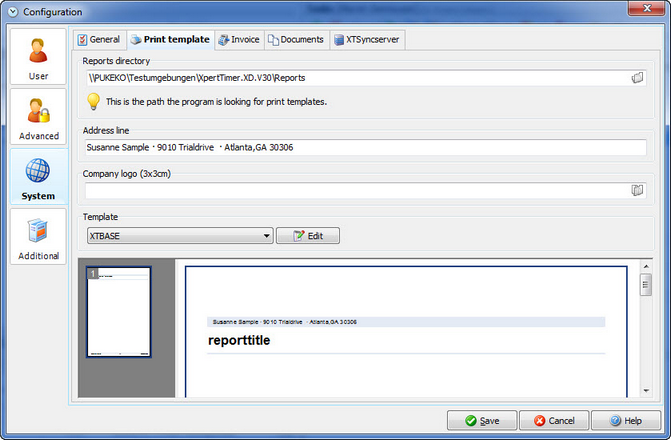
Reports directory |
Here are all your report templates saved. Please note, that your own designed reports should be saved as XTINVOICE_ or XTBASE_ and your name, or any other identity in the name. If you don't change the name of the report, it might get overwritten with the next software update. |
There are 9 different templates for you to choose in the Xpert-Timer. If you want to change them, you can do so at any time. Click on the "Edit" button besides the template or simple enter your address in the Address line. if you want to add a company logo, you can also do so by linking to the image. Please note, that the program only accepts .jpg and .bmp files.
A report generator, named FastReports will open. There you can design your templates totally the way you want. Please find the help for FastReports here:
http://fast-report.com/pbc_download/UserManual-en.pdf
Please note, that you cannot use .png files in the template. Please only use .jpg or .bmp.
In order to change the colors of your report, you need to change the style in the report generator. Edit your template and point to Report -> Styles in your Fast Report Report Designer.

Make sure you save your new template with a new name. The new name must start with either XTINVOICE_ or XTBASE_ in order to appear in your drop down list.