Use cases |
  
|
Use cases |
|
Here are some branches of industry that use Xpert-Timer:
➔ Engineers: To keep track of working hours on team projects.
➔ IT-Service Providers: Usually they work per hours, so Xpert-Timer helps documenting every minute worked.
➔ Enterprises: For internal cost calculation.
➔ Garages: To document exaclty what's been worked on.
➔ Journalists/Writers: To keep track of working time.
➔ Insurances: For internal cost calculation.
➔ Consultants / Business Consultant:: Zur Dokumentation und Abrechnung der Tätigkeiten.
➔ Authorities: For internal cost calculation.
➔ ...and many more....
Xpert-Timer is available in different versions, so you can choose the best version and modules for your business.
Xpert-Timer Basic:
This is the single-user version of Xpert-Timer. It's slimmed down a bit and does not include the customer management, account management, document management and reimbursable expenses. The Basic version is intended for people who only want to document their work on different projects / assignments.
Xpert-Timer Basic cannot be used in a network.
Xpert-Timer Pro:
Xpert-Timer Pro is multi-user compatible and can run on a SQLite (Single-user), MS-SQL (Express also) or MySQL database. Most of our clients use this version of Xpert-Timer.
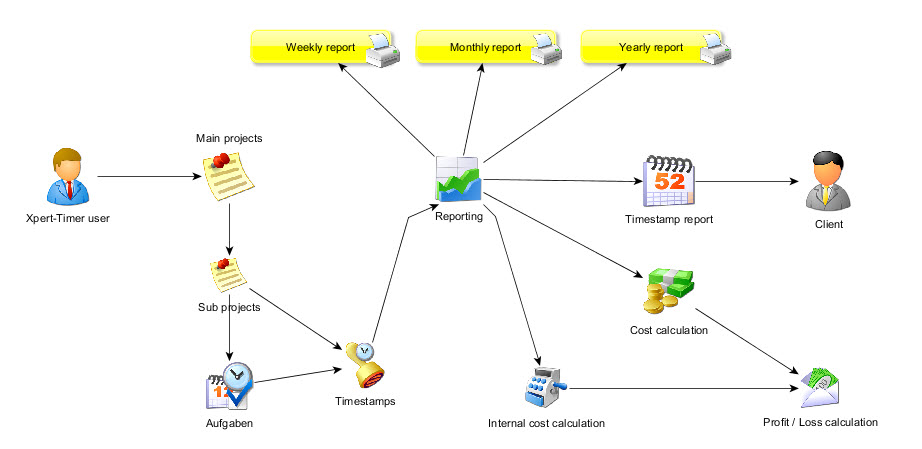
Besides tracking your time, Xpert-Timer PRO offers a To-Do list, an invoicing module, a client management and a document management. All of those modules can be activated or deactivated in the program in order to keep the user interface clear.
Multiple project teams can all at once track their times in Xpert-Timer. If you are using Xpert-Timer in a team, you should install the software on a network drive in order to install later updates easily. It's not necessary to install the software on every single client.
Access right control the visibility of projects and details. A user can only see the projects he's assigned to and should only view his own times. Not the stopped times of his co-workers. Multiple access rights are available in Xpert-Timer.
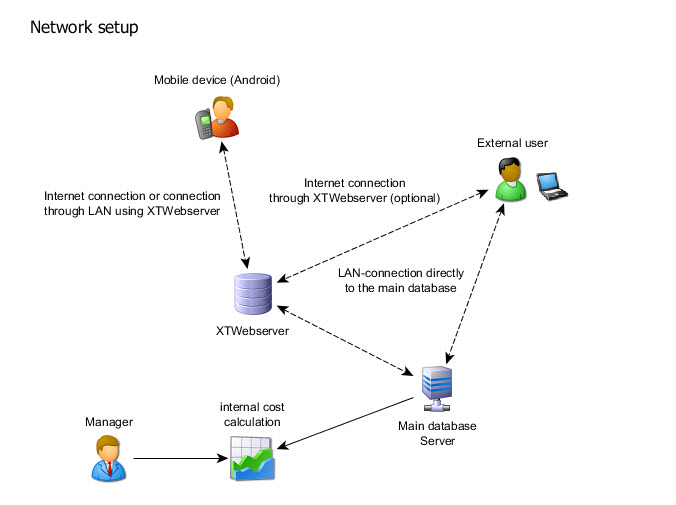
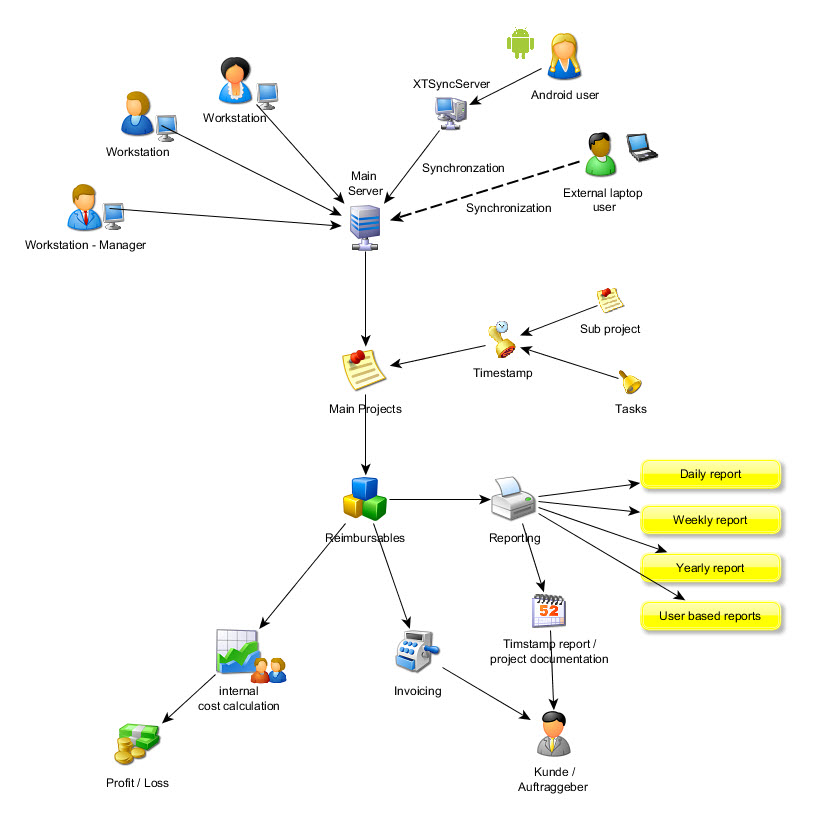
This is an example setup of Xpert-Timer Pro in a multi-user environment:
Xpert-Timer Mobile:
Xpert-Timer MOBILE is the perfect project time tracking app for your Android devices. Stop your working hours and bill your clients accordingly. You can add a comment to every timestamp you stop. Send your reports through email or export them to .html. If you need to work with the data later on, you can also export it to .csv.
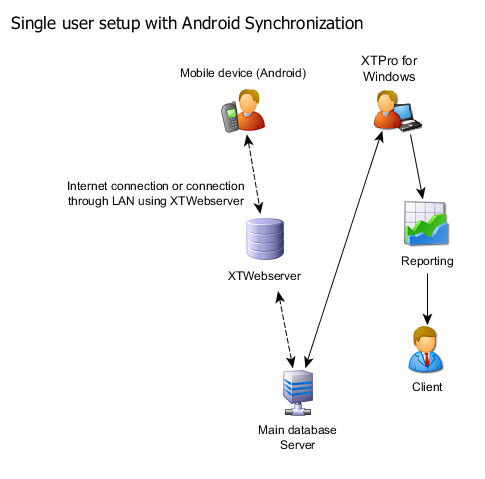
In case you want to synchronize your data with our Xpert-Timer PRO version, you need to purchase Xpert-Timer Pro and XTSyncServer additionally.You can buy the app on the Google Marketplace or without a credit card at Android Pit .
Please visit our mobile website for further details: http://www.xperttimermobile.com